

Imagine a Midlands manufacturer waiting for a pallet of parts. The lorry is late, the production manager needs an arrival time and someone in dispatch is ringing round to find it. Now imagine you’ve built an app that gives everyone the same delivery update.
If you asked me to animate that app, my first question would be who’s watching. Someone landing on your homepage, a buyer comparing two platforms and a driver using yours for the first time all need to see a different bit of the story.
A SaaS explainer video for your homepage
SaaS stands for software as a service. If you sell a subscription to that delivery platform, a visitor’s first question is likely to be “Would this help us?” A software explainer video can answer that before they book a call.
I’d open on the empty loading bay and the ringing phone. Then I’d follow the delayed pallet across a simple animated map. When the driver updates the arrival time, we’d see that same time appear on the dispatch screen and on the production manager’s phone. Now the manager can move another job into the gap. That last shot is the reason to buy the software.
A product demo video for someone weighing up a purchase
A buyer who’s already seen the homepage might ask, “Can I warn the customer about a late delivery without leaving the dashboard?” That’s a good brief for a product demo video. It gives us one task to demonstrate and a clear point to finish on.
I’d start with the delayed order open, show where to change the arrival time, then hold on the message the customer receives. I’d keep the real button labels and cut the time spent typing. If a salesperson sends that clip after a call, the buyer can forward it to their dispatch team and ask, “Would that work for us?”
An app demo video for a feature you can show on a phone
At the other end of the delivery, the driver scans the pallet and taps Confirm delivery. I’d frame those two actions tightly enough to read on a phone, then cut back to the office as the order changes to Delivered. That makes a short app demo video with a beginning and an end. It also gives you a useful clip to share when the scanning feature launches.
A software walkthrough video for someone who’s signed up
On their first morning, the dispatcher has a more immediate question. How do they set up a late-delivery alert for their own orders?
Here I’d show the screen they land on after logging in. I’d keep the menus in their proper places, pause on the relevant setting and show how to check the alert is switched on. This is one place where I’d leave a quiet beat after a click. Someone following along in another tab needs time to find the same button.
What I’d animate and what I’d keep on screen
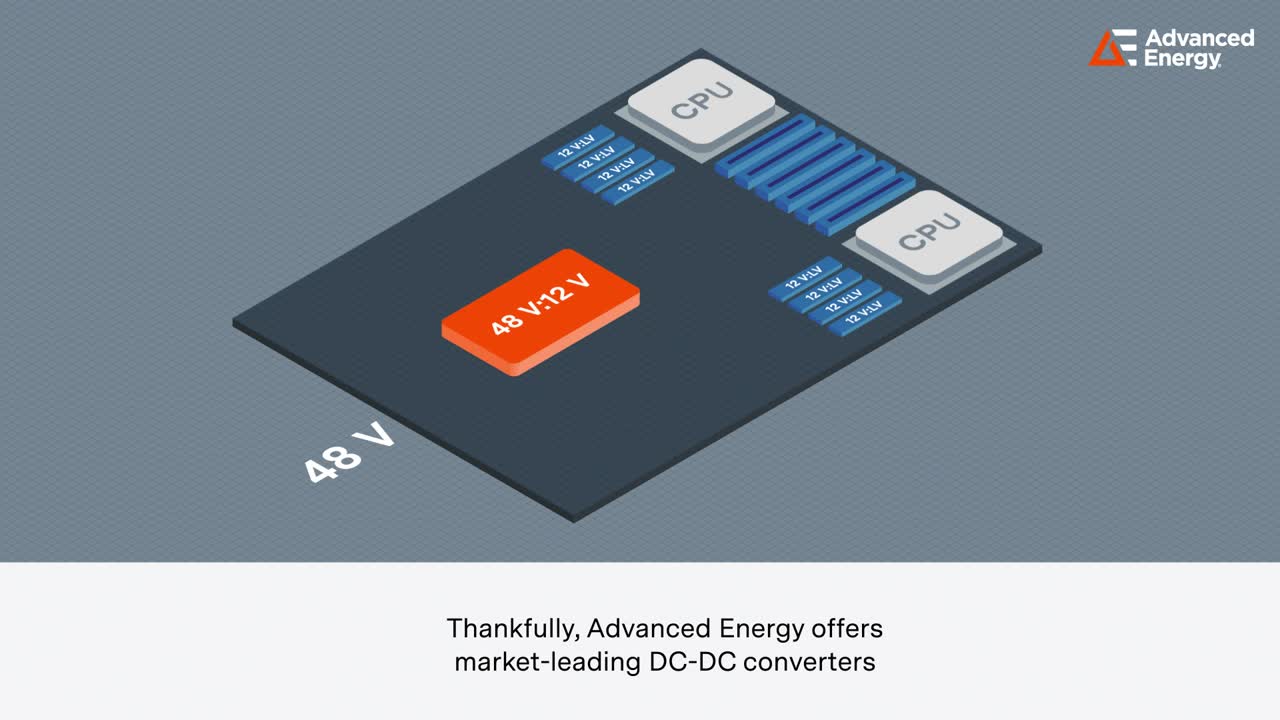
On the Advanced Energy technical explainer, Shaun Taylor at Idee Creative created the artwork and I animated how power moves through a server rack. Building up the components one at a time gave the viewer a chance to follow each connection. I’d use that same approach to show how an update travels from a driver’s phone to the factory. For a walkthrough, I’d stay close to the actual interface so the person watching can repeat the task.
If you’re briefing your first software video, send me the question your sales or support team keeps hearing and a rough screen recording of the answer. That gives us enough to work out what’s worth animating. You can watch my explainer showreel on the For Businesses page.